On `find-touchpad-links' (2026)
Announcements: eev mailing list
.1. Introduction
My laptop is a Lenovo ThinkPad T400 with Libreboot. It is refurbished but some of its parts are very old, and in may/2026 one of the buttons of its (lower) touchpad short-circuited, and my technician told me that he couldn't fix it or replace it. We saw that I could just disable the touchpad and use the trackpoint and the buttons just below the space bar, and that's what I did. More precisely, on each boot, I...
- run `xinput list',
- look for a line containing "Touchpad" or "Synaptics",
- take note of its ID. Let's pretend that it's 12...
- run `xinput disable 12'.
- To reenable the touchpad, run `xinput enable 12'.
The `12' is sometimes `11' or `10'. Here is a good way to get "the current value of 12":
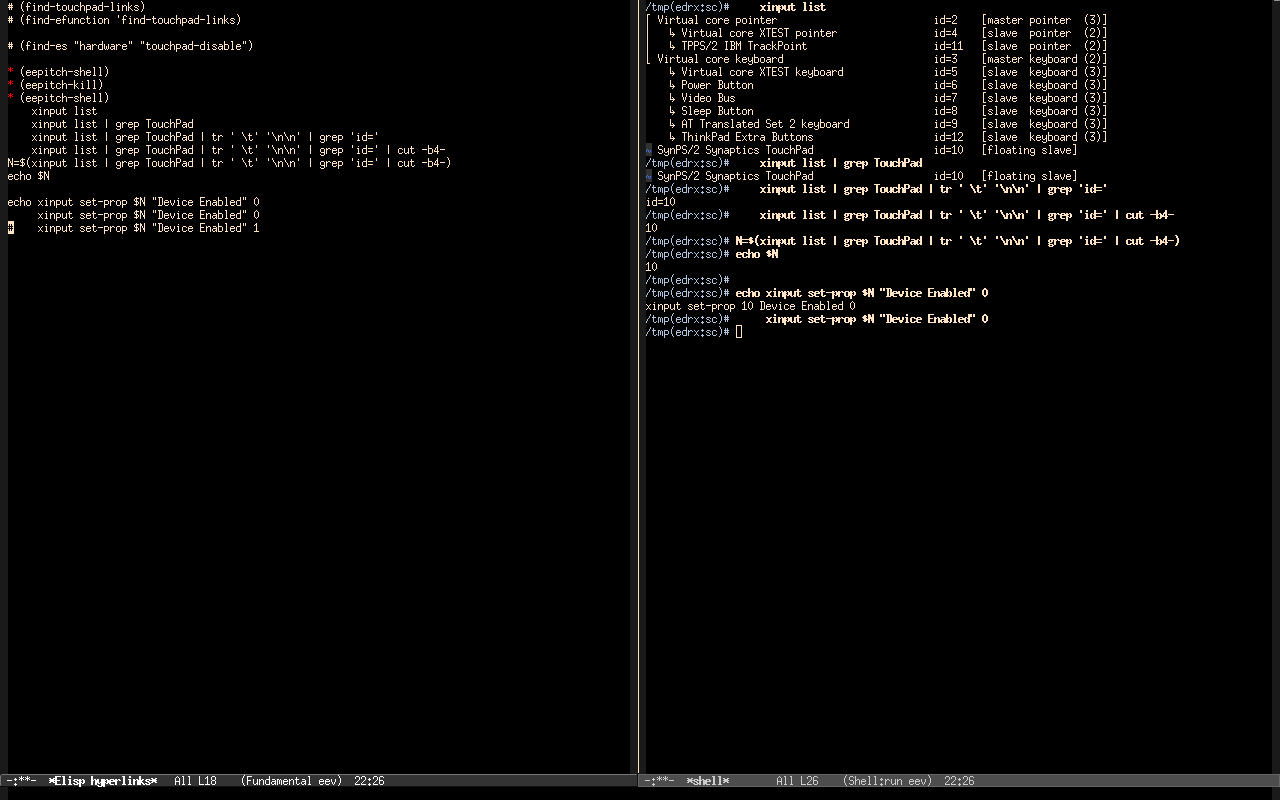
xinput list | grep TouchPad | tr ' \t' '\n\n' | grep 'id=' | cut -b4- |
It's easy to forget how that works. How do I make that easier to understand, to debug, and to reuse?
2. Showing intermediate values
Here is one way. It looks like the screenshot below, and I can run it with `M-x find-touchpad-links' and `f8's. It is a "5-minute hack", in this sense.