Eev and Minipaste (2026)
- 1. Introduction
- 2. Creating a test page on github.io
- 3. Minipaste: using your page on github.io as a pastebin
- 4. Anggpaste: a variant with scp
1. Introduction
Here I will have to tell several stories.
I am old, and the first versions of my page were updated using telnet and ftp; git still feels new to me, and the scripts that update the current version of my page still do some transfers by rsync'ing big uncompressed tarballs, as in the early 2000s...
Also, pastebins are clumsy. They sometimes stop working, and their emacs interfaces bitrot... for example, imgbb still works, but 0x0 no longer does.
I've been wondering for ages if I could do something better than these "standard pastebins". One obvious solution would be to use Tramp and scp; if I'm chatting with people on IRC then I would put my 4th paste of the day here,
https://anggtwu.net/4 |
and I would edit its contents with one of these sexps:
(find-fline "/scp:edrx@linode:/home/edrx/public_html/4") (find-linpfile "4") |
That paste would "expire" - i.e., would be deleted, and its URL would stop working - as soon as I update my page and rerun its build scripts.
I played a bit with the idea of using temporary files in my page as a kind of pastebin, but I never optimized the process... so pasting a file in that (non-optimized) way took lots of keystrokes, and the process was clumsy, slow, and error-prone.
(TODO: explain why I didn't like scpaste.el.)
One day, in sep/2026, Untrusem told me that he updates his page using git-pages-cli, and he showed that he could define subdomains of https://untrusem.party/; and we started to play with the idea of using one these subdomains as a pastebin that only he could upload files to... but we didn't get far.
Git-pages-cli is an interface for git-pages, and the introduction to git-pages says this:
git-pages is a static site server for use with Git forges (i.e. a GitHub Pages replacement). It is written with efficiency in mind, scaling horizontally to any number of machines and serving sites up to multiple gigabytes in size, while being equally suitable for small single-user deployments.
So Untrusem was using "a GitHub Pages replacement" in an advanced way. What if I started by trying to write a tool for people who were using GitHub Pages itself, instead of a replacement, and who were using it in the most basic way possible - or even still trying to learn it?
Here is where everything starts to connect:
- Lots of people nowadays create their first homepages in GitHub Pages, in the default address: https://username.github.io/,
- They start with "scratch homepages". They are "scratch" because these people are still experimenting with different tools for generating HTML, and so their pages are minimal and intended to be deleted and recreated several times,
- Some of my ex-students had scratch homepages in https://username.github.io/,
- One of these ex-students was Bruno Macedo - that I thanked here and in other places,
- Bruno was chatting with me often because he was writing his own extensions to my REPL for SVGs,
- Eev had a mini-tutorial - `find-githubio-links' - on how to create a test page on https://username.github.io/,
- Bruno was one of the people who helped me to write and test `find-githubio-links',
- Bruno liked the idea of "a way to use a scratch page on github.io as a pastebin" very much,
- and he didn't mind creating scratch files with names like 1, 2, 3, ... in his scratch home page.
In the next section in will explain how `find-githubio-links' mutated into `find-githubio-links'+Minipaste.
2. Creating a test page on github.io
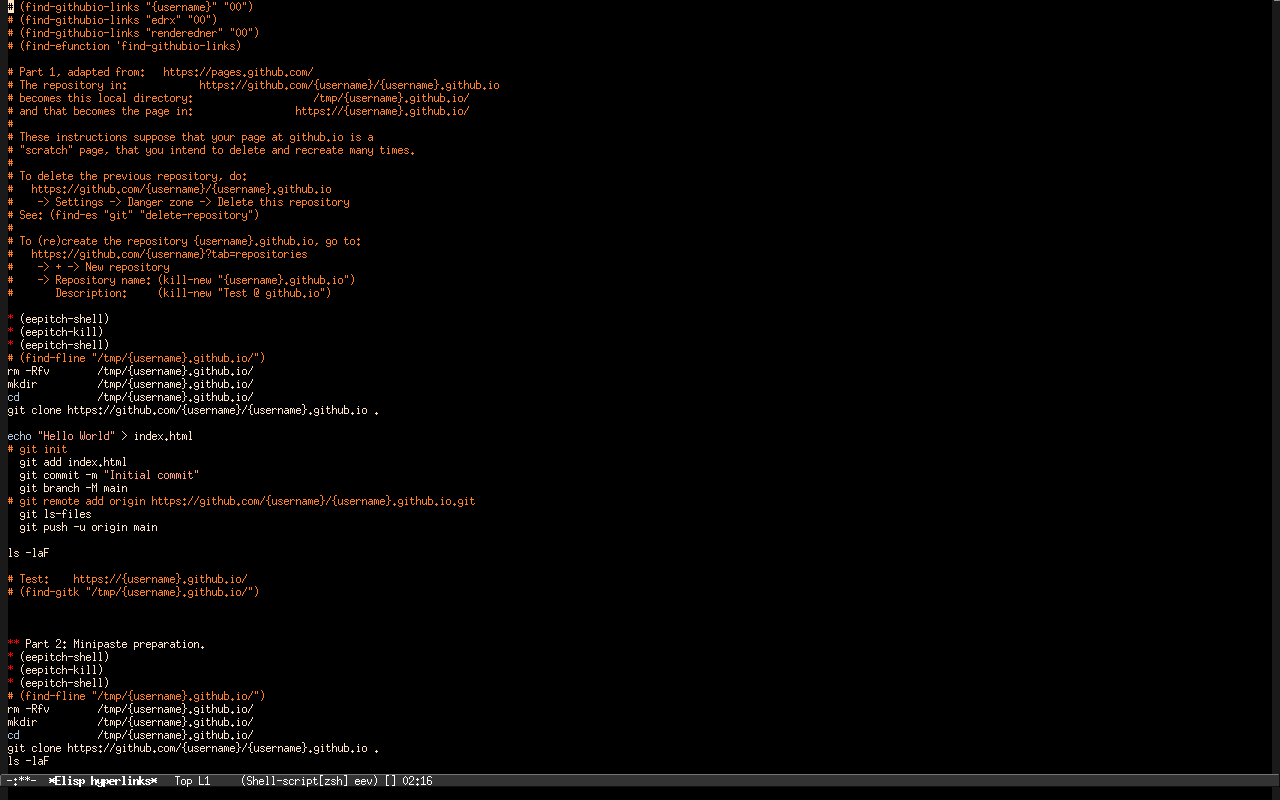
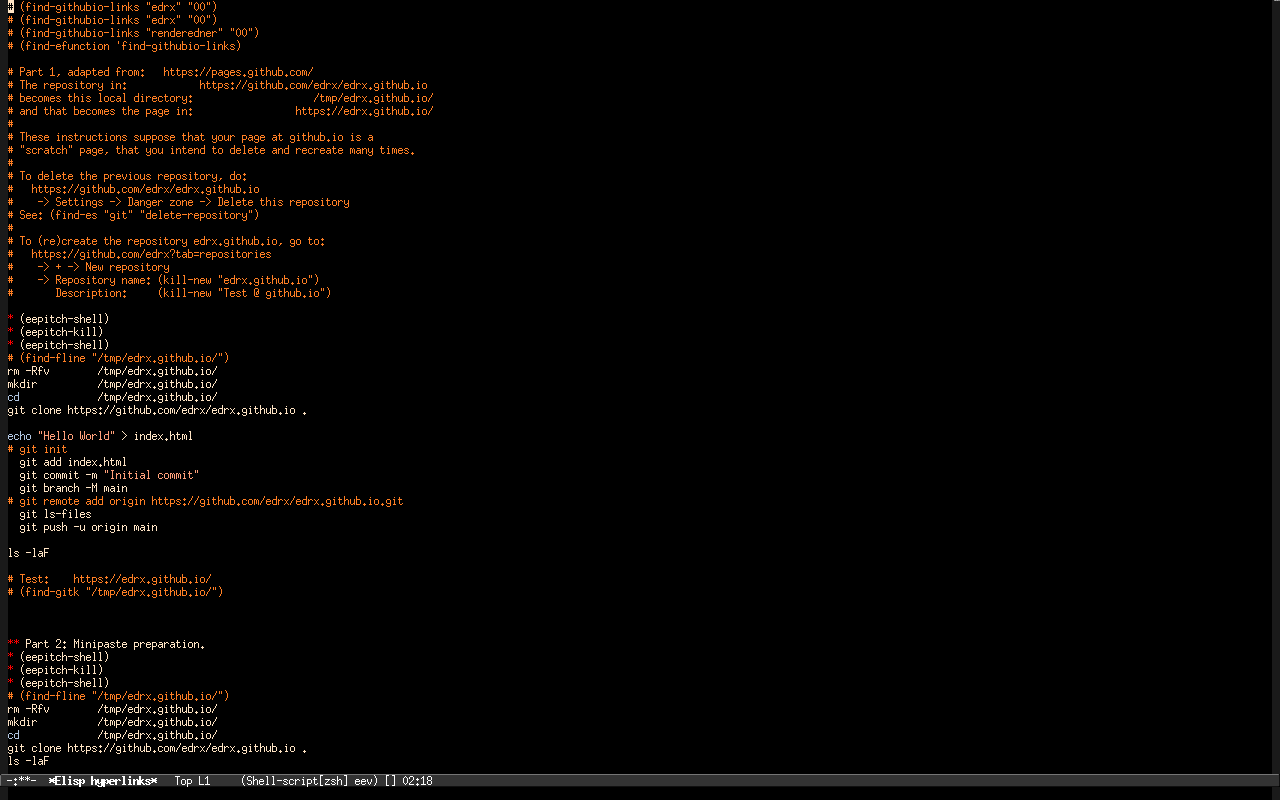
The first screenshot below shows the temporary buffer generated by `M-x find-githubio-links' (in 2026sep11). It follows the convention that "the first line regenerates the buffer", and the second screenshot shows what happens when we set the username to "edrx".
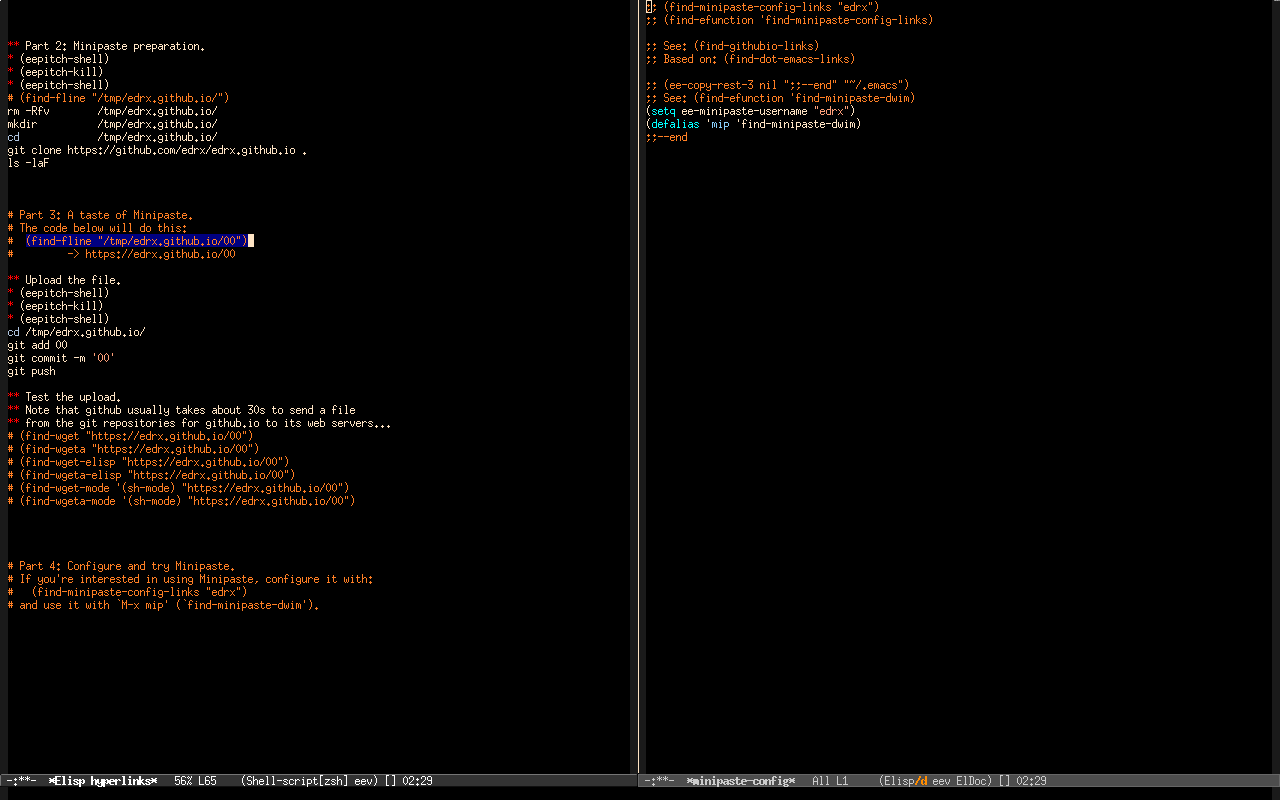
The third screenshot shows the Parts 2, 3, and 4 of the `find-githubio-links' buffer, that are only relevant for people who want to try Minipaste. The Parts 2 and 3 show how Minipaste would work in the case in which the username is "edrx". It needs a copy of the repository https://github.com/edrx/edrx.github.io in /tmp/edrx.github.io/, and the comments in
# Part 3: A taste of Minipaste. # The code below will do this: # (find-fline "/tmp/edrx.github.io/00") # -> https://edrx.github.io/00 |
remind us that we need to edit the file /tmp/edrx.github.io/00, and the e-script block in the Part 3 will upload that to https://edrx.github.io/00; in this case our paste is called "00".
The Part 4 indicates that to use that "in general", that is, with pastes that may have other names that are not "00", and with few keystrokes, we need to add three lines like these to our ~/.emacs, and execute the two uncommented lines:
;; See: (find-efunction 'find-minipaste-dwim) (setq ee-minipaste-username "edrx") (defalias 'mip 'find-minipaste-dwim) |
3. Minipaste: using your page on github.io as a pastebin
find-githubio-links
find-minipaste-links
find-minipaste-dwim